Why doesn't a crane fall on its nose?
Ever watched a mobile crane lift a steel beam? It is slightly alarming. The wheels are only a few meters apart, yet the crane dangles several metric tons ten or twenty meters out in front of them. Why doesn't it fall on its nose?
Sometimes it does. So there must be a boundary: lower the boom a little more, or add a little more load, and over it goes. Let's hunt for that boundary and find out what decides where it is. The surprise is how little we need: the center of mass and the moment of a force, two ideas that are more than two thousand years old. People have leaned on those ideas whenever they handled heavy things, from ancient building sites to the twentieth-century rescue of the Leaning Tower of Pisa.
The ground cannot pull
Try a thought experiment at your desk. Slide a ruler, little by little, over the edge of the table. Nothing happens, nothing happens, and then, somewhere past the halfway mark, it tips. At that moment it is rotating about the table's edge.
A crane truck does the same. When it tips forward, it rotates about its front support, the point where the front wheels, or the extended legs called outriggers, touch the ground. So everything comes down to a contest about that one line on the ground. Weights in front of it, the load and most of the boom, try to turn the truck forward. Weights behind it, the truck body and the counterweight on the back of the upper part, try to turn it back.
Normally the backward side wins. But as you lower the boom, the load moves further out and the forward side grows. When the two exactly balance, the upward push of the ground on the rear wheels, the normal force, drops to zero. Go any further and the rear wheels lift.
That is the key piece of physics. The ground can push a wheel up, but it cannot pull it down. Ask as politely as you like; the ground will never hold your wheels down. So "the rear normal force reaches zero" is exactly the signal that tipping has begun.
Measuring the turning effect
The lever is a tool people have used since time out of mind: with a long bar, a small push moves a big stone. It was the ancient Greeks who turned that experience into a law. In today's language, the turning effect of a force is its moment, also called torque. If a force acts at a perpendicular distance from the axis,
One of the oldest books to put the puzzle of the lever into words is the Mechanical Problems, which has come down to us under Aristotle's name, though it was probably written by someone in his school. It asks why a long lever lets a small force move a great weight. Archimedes of Syracuse, in Sicily, answered with mathematical proof in the third century BCE. In On the Equilibrium of Planes he started from seven simple postulates, such as "equal weights at equal distances balance," proved the law of the lever, and found the centers of gravity of plane figures such as triangles. Scholars still discuss whether his proof is fully rigorous.
Why compare force times distance? Take a balanced lever and turn it a tiny angle , in radians, about the axis. A point at distance moves along its arc, and a point at moves . The lever doesn't start turning on its own because the work done by one force, , equals the work done against the other, , so the net work is zero. This is the principle of work you may have met with levers in middle school. Divide out and : the turning effect is measured by force times distance from the axis.
For a weight, is the horizontal distance from the axis to the center of mass. The unit is N·m. A lever balances when the moments on the two sides are equal, and even a small force makes a large moment if its arm is long. That is exactly why a crane gets more dangerous the farther out it holds its load.
Archimedes is also the hero of a famous story. According to Plutarch, he told King Hiero that if he had another world to stand on, he could move this one; and to prove the point, he sat at a distance and, with a system of compound pulleys, drew toward himself a fully loaded ship that many men had struggled to haul ashore. Plutarch lived about three centuries later, so how much of this is true we cannot say. But it shows how amazing people found the idea that a small force can produce a large moment.
The idea carried real buildings. In the first century BCE the Roman architect Vitruvius described cranes with compound pulleys in Book X of On Architecture, and a Roman tomb relief from the first or second century CE shows a crane hoisted by people walking inside a large treadwheel. Whether a crane lifting heavy stone stayed upright depended, then as now, on the balance of moments.
Counting the crane's moments
Think of a seesaw. A light child near one end can balance a heavy adult sitting close to the pivot, because a seesaw compares not weights but weight times distance from the pivot. The crane truck plays exactly the same game across its front support. Now let's count the crane's moments. Here are the simulation's numbers with the boom at 55°, 18 m long, carrying 5 t. The front wheels are 2.6 m ahead of the truck's center, and one metric ton weighs about 9.8 kN.
| Part | Mass | Distance from front support | Moment |
|---|---|---|---|
| Truck body | 20 t | 2.6 m behind | 510 kN·m backward |
| Upper part and counterweight | 8 t | 4.5 m behind | 353 kN·m backward |
| Boom (300 kg/m) | 5.4 t | 3.4 m in front | 178 kN·m forward |
| Load | 5 t | 8.5 m in front | 418 kN·m forward |
The backward moments total about 862 kN·m, the forward ones about 596 kN·m. The difference, 266 kN·m, comes from the rear normal force , labeled N rear on screen. The supports are 5.2 m apart, so kN.
When the center of mass leaves the base
Let the front and rear supports be at and , the front normal force , the total weight , and each part's weight act at . Balancing vertical forces and moments about the front support gives
Since , the truck stays down only while the forward moments do not exceed the backward ones. Here is something nice: this is the same as saying the machine's center of mass lies behind the front support. The center of mass is at , so with and we have ; subtract from both sides and . The moments of all the separate parts add up to the moment of the total weight acting at the center of mass; the Frenchman Pierre Varignon set out this kind of "sum of moments" principle in general form in 1687. Two rules that sound different are one rule in disguise: the truck starts to tip the instant its center of mass leaves the base of support.
How far can the boom come down?
So at what boom angle does it go over? Set the forward moments equal to 862 kN·m. cancels, and the boom hinge is 0.8 m ahead of the center. With masses in metric tons and distances in meters:
Collecting terms, , so and . Lower the boom by only about 15° from 55° and over it goes. Less margin than you expected? That is exactly why real cranes are rated to lift far less than the load that would tip them.
When the load swings
What if the load swings? When it swings outward by an angle , the cable pulls the boom tip forward at a slant. If the tip is at , the distance from the support to the cable's line of action becomes . The tip is high, so a small swing adds a lot. The tension changes too. The load moves on a circle around the tip whose radius runs from the boom tip to the load's center, and circular motion needs an inward force , so along the cable , that is, . This assumes the tip is still at rest, before the truck starts to tilt. A swinging load can push harder than a still one, which is why a calculation for a still load is not enough to call a lift safe.
To handle swinging and tilting, we have to go from the equations of balance to the equations of motion.
After Newton set out his laws of motion in the seventeenth century, equilibrium became a special case of motion: motion with zero acceleration. The equations this simulation uses once the truck tilts come from the method Lagrange organized in the eighteenth century.
Keeping cranes upright
Modern mobile cranes carry devices, often called load moment indicators or overload protection systems, that work out how close the machine is to tipping from the boom angle, the boom length and the load. They warn the operator or stop the motion near the limit, and Japan's Ordinance on Safety of Cranes forbids loading a mobile crane beyond its rated load or working outside its specified boom angles, and requires operators to plan in advance how to prevent overturning and, as a rule, to extend outriggers fully. The permitted load for each boom angle and length is set well below the load that would actually tip the crane. Accidents still happen when soft ground lets a leg sink or a load is heavier than expected.
Outriggers make sense in terms of moments. Extending the legs moves the support outward, which lengthens the lever arms holding the crane back and shortens the load's lever arm. Both help. In the simulation, at 55° with an 18 m boom, the maximum load rises from about 8.2 t on wheels to about 17.8 t on outriggers.
Buildings can be rescued the same way. The Leaning Tower of Pisa was leaning ever further, and in 1990 it was closed to the public. The British engineer John Burland, a member of an international commission, and his colleagues first placed 600 metric tons of lead on the north side of the foundation in 1993, opposite the lean, to add a backward moment. Then, from 1999, they carefully removed soil from beneath the north side so that the tower settled back toward the north. The lean was reduced by about 40 cm, and the tower reopened in 2001. It is the same idea as a crane's counterweight.
Center of mass and base of support everywhere
The same thinking is used to rate cars. The static stability factor , where is the distance between the left and right wheels and is the height of the center of mass, measures how far a car must tilt before its center of mass passes over the wheels: the larger it is, the harder the car is to roll over. Since 2001 the U.S. National Highway Traffic Safety Administration has used it to give cars a star rating for rollover resistance, and starting with the 2004 model year it has combined it with the result of a sudden-steering driving test. Tall vehicles have a larger and a smaller , which is why they are said to roll over more easily.
You can test center of mass and base of support with your own body. When you stand on one foot, you keep making tiny corrections to hold your center of mass over your foot, and when you carry a heavy bag in one hand you lean the other way for exactly the same reason. Gymnasts and skaters are experts at moving their center of mass quickly over a very small base.
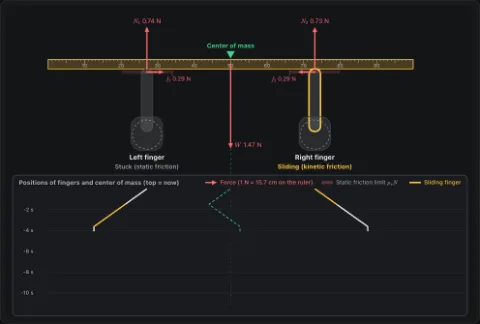
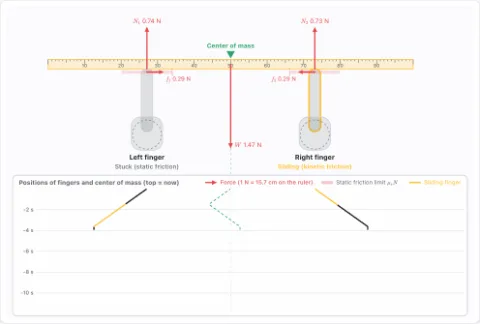
A tower crane stays upright by balancing its long arm with a counterweight on the other side, and a seesaw or a steelyard balance can be read with the same equation. All of these are variations on one question: where does a force act, and about which point does it try to turn things? Even the calculation of the normal forces on two fingers holding up a ruler, in the "A Ruler on Two Fingers" simulation, has the same form as this crane's and .
Tip it over yourself
- At the start the boom is at 55°, 18 m long, with 5 t. In the strip below the ground, compare the orange "Tipping" bar with the green "Restoring" bar, and with the table.
- Predict the tipping angle. "Tipping angle (calculated, still load)" under Results appears only once you start lowering the boom. Then press "⤵ Lower the boom slowly". When the rear wheels lift, has the dashed line from the black-and-white center-of-mass marker crossed the end of the green support base?
- Press ↺ Reset to stand the truck back up, raise "Boom angle" to 70°, then set "Load mass" to 10 t. Press "⤵ Lower the boom slowly" again. Does tipping start at a larger or smaller angle?
- Tick "Use outriggers". Why does "Maximum load at this angle and length" more than double?
- Set "Boom angle" about 2° above the tipping angle and press "Push the load". Watch N rear, , in the "Normal forces" graph. A still load would not tip the truck here. What happens?
- Drag the dashed ring at the boom tip to tip the truck on purpose. Why does it sometimes fall back after the load lands?
Model assumptions: the truck and boom are one rigid body; the ground and tires do not deform; the boom moves slowly, so moving it does not set the load swinging. Masses and sizes are rough values for a large truck crane, not a real model.
The question that decides tipping
Tipping is a rotation about the front support. When the forward moments exceed the backward ones, the rear normal force falls to zero and the truck lifts, which is exactly the same as the center of mass leaving the base of support. A swinging load changes both the direction and the size of the cable force, so a crane can tip before the static limit.
From an ancient Greek book puzzling over the lever, through Archimedes' proof and Rome's treadwheel cranes, to load moment indicators, rollover ratings for cars and the rescue of the Leaning Tower, the same question, about which point and how strongly a force tries to turn things, keeps people safe around heavy loads.
A last puzzle: here the ground never sinks. If the ground under the front support gave way and the truck leaned forward, would tipping begin at a larger or smaller boom angle?
Sources and further reading
The facts in this article were checked mainly against these sources.
- Archimedes on statics (MacTutor, University of St Andrews)
- Plutarch, Life of Marcellus, on the siege of Syracuse (C. Rorres's Archimedes pages, New York University)
- Vitruvius, On Architecture, Book X, in English (LacusCurtius, University of Chicago)
- Japan's Ordinance on Safety of Cranes (Ministry of Labour Ordinance No. 34 of 1972), Articles 66-2, 69, 70 and 70-5 (e-Gov, in Japanese)
- Consumer Information; New Car Assessment Program; Rollover Resistance (NHTSA, Federal Register vol. 68, no. 198, October 14, 2003, govinfo)
- Fall of the Leaning Tower: History of Interventions (PBS NOVA)
- Leaning Tower of Pisa reopens (HISTORY, December 15, 2001)
Further reading (encyclopedia articles):