Add two steady tones
Try to tune two guitar strings to the same note. Just before they match, you hear the sound throb: "wah, wah, wah". Tighten the string a little more and the throbbing slows down, until at the moment the strings agree it simply vanishes. A tuner is listening for exactly that moment.
Here is something odd. Each string keeps ringing at a steady loudness. Yet the two together get louder and softer, over and over. Add two steady things and you get something unsteady. How can that be?
This throbbing is called beats. What's more, for three centuries beats have been a tool for counting vibrations far too fast to see. How do you count something that happens hundreds of times a second? In this simulation we'll play real tones and, at the same time, draw the waveform with exactly the same frequencies and exactly the same clock, so we can see what beats really are.
Two vibrations slowly slipping apart
Each tone pushes and pulls on the air: tone 1 does it times a second, tone 2 times a second. What reaches your ear is the sum of the two motions. That's the principle of superposition.
Suppose and differ only slightly, say 400 Hz and 403 Hz. If at some instant the two crests line up, the sum is large. But tone 2 makes three extra vibrations every second, so it slowly creeps ahead. After 1/6 of a second it is half a cycle ahead: crest meets trough and the motions nearly cancel. After 1/3 of a second it is a full cycle ahead and the crests line up again.
So the two tones go "in step, cancel, in step, cancel" three times a second. That's the "wah, wah, wah". The pitch, the number of vibrations per second, stays at about 401.5 Hz; only the loudness swells and fades three times a second.
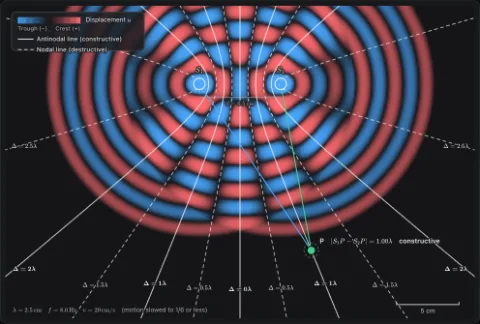
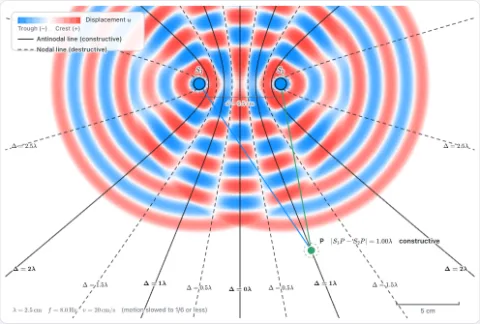
With two wave sources, whether waves reinforce or cancel depends on where you are. With beats, they take turns in time. The two look very different, but both come straight out of superposition; they're siblings.
Picture two runners on a track. Say one does 400 laps a second and the other 403. Very energetic runners! The faster one draws level with the slower one three times every second: the number of meetings is the difference in lap rates. The analogy only tells you how often the two line up, though; how the loudness changes needs the sum in the next section.
Turning a sum into a product
Write two tones of equal amplitude as . The sum-to-product identity turns this into
The second factor oscillates quickly at the average frequency . The first factor is a slowly varying amplitude, and its size, the envelope, is , swinging between 0 and .
Now a trap that catches many people. The frequency of is , yet the beat frequency is . Why? Because your ear responds to the size of the amplitude, not its sign: the sound is just as loud when the cosine is as when it is . Taking the absolute value halves the period, so
For 400 Hz and 401 Hz there is one beat per second, and about 400 vibrations fit into each beat.
The sum-to-product identity turns out to be perhaps the nicest answer to "what is this trigonometry for, anyway?"
Two arrows of different lengths
What if the amplitudes differ, so that ? The sum-to-product identity needs equal amplitudes, so take another view. As the circular motion and wave synthesis simulation shows, a sine wave is the shadow of a rotating arrow. Think of the two tones as arrows of lengths and turning and times a second. The sum of the shadows is the shadow of the two arrows joined head to tail, so the loudness is set by the length of the combined arrow. The angle between the two arrows opens up by turns every second.
Each time advances by , swings once between its largest value , when the arrows are aligned, and its smallest , when they point opposite ways. It never goes completely silent, but the beat frequency is still . With , , so , exactly the envelope we got from the sum-to-product identity. Those runners on the track, it turns out, were these rotating arrows all along.
Counting vibrations too fast to count
By the 1600s people were coming to understand that pitch is set by the number of vibrations per second. But you can't count hundreds of vibrations a second by eye. In his Harmonie universelle of 1636 the French friar Marin Mersenne summed up how a string's frequency depends on its length, tension and weight; these are Mersenne's laws. He also made the first known estimate of the actual frequency of a tone, by counting the slow swings of a very long string and scaling up to a short piece of it.
The beat formula lets you measure a frequency itself, an idea the French scientist Joseph Sauveur put to work around 1700. We'll come back to him below. Here is how the calculation goes. Two organ pipes whose lengths are in the ratio have frequencies in the ratio , because a pipe's frequency is very nearly inversely proportional to its length. Sound them together and suppose you hear 6 beats per second. Solving Hz together with gives
Nobody can count 90 vibrations a second, but 6 a second you could clap along to. Beats slow a vibration that is too fast to count down to one you can count.
The man who turned beats into a measuring tool was Joseph Sauveur. Born with a speech defect, he did not speak until he was seven and struggled with speech all his life; and according to Fontenelle, the Academy's secretary, he loved music but had no ear for it. He nevertheless became a teacher of mathematics, studied sound, and proposed a new science of sound in general, which he named acoustique, or acoustics, although the word had occasionally been used before. In work presented to the French Academy of Sciences from 1700 on, he sounded two organ pipes a small semitone apart, a frequency ratio of 25:24, which is close enough for the beats of low notes to be counted. In experiments with the organ builder Deslandes, he found that an open pipe five Paris feet long vibrates 100 to 102 times a second. Some accounts retell it as pipes in the ratio 15:16 beating 6 times a second, giving 90 Hz and 96 Hz, the calculation we did above. The trick was to replace a vibration you can't count with a slow difference you can.
How far apart can the ear follow?
What happens if we keep pulling the two tones apart?
Your ears have limits: as the difference grows, the "wah" turns into a rough, buzzy quality, and further apart still you hear two separate notes.
In the nineteenth century the German scientist Hermann von Helmholtz studied how we hear tones, from both the physical and the physiological side, in his 1863 book On the Sensations of Tone. He argued that as two tones move apart and the beats speed up, you stop hearing them as a swelling and fading and start hearing roughness instead, and he put the roughest point at around 30 to 40 beats per second, a figure that depends on pitch. Intervals that sound smooth, like a perfect fifth, are ones where the overtones of the two notes produce almost no beats against each other. Helmholtz brought physics to the musical question of consonance and dissonance, and his idea has been broadly supported, and refined, by twentieth-century hearing experiments.
Ears and brains add a twist. Playing different tones to the left and right ears can also produce a beating sensation, known as binaural beats, but that happens in the brain, not in the air, so it's a different mechanism from the beats in this simulation.
From tuning forks to clocks of light
The tuning fork, a device that sounds a precise pitch, is said to have been invented in 1711 by John Shore, a trumpeter at the English court. It is still a standard tool for tuning instruments and for school experiments.
The most familiar use of beats is tuning. Sound a reference tone, say a 440 Hz tuning fork, together with the instrument, and adjust until the beats disappear: your ears alone can match the pitches remarkably precisely. Piano tuners go further and count the beat rates of chords, because in the tuning used on modern pianos most intervals are deliberately set slightly off from simple ratios.
The same principle lives on in radio. In the early twentieth century the Canadian-born inventor Reginald Fessenden devised the "heterodyne" method: mix an incoming radio wave with one of slightly different frequency, and the difference frequency becomes something you can hear. Around 1917–1918, during the First World War, Lucien Lévy of France and the American Edwin Armstrong each developed the superheterodyne receiver, and Lévy was the first to file a patent, in August 1917. The superheterodyne mixes the incoming wave with one generated inside the receiver to produce a fixed difference frequency that is easy to amplify. From the mid-1930s on, almost all commercial radio and television receivers were built this way: beats, with radio waves. The theremin is the electronic instrument you play without touching it, built in 1920 by the Russian physicist Lev Termen, who is also known as Leon Theremin. It makes its audible tone from the difference frequency of two high-frequency oscillators. And in medical Doppler ultrasound, combining the transmitted ultrasound with the echo from moving blood gives a difference frequency that falls in the range you can hear.
The Doppler effect connects here too. A wave reflected from a moving object comes back with a slightly different frequency; mix it with the original and you get beats, whose frequency tells you the object's speed.
Beats even measure the frequency of light. Light oscillates hundreds of trillions of times a second, far too fast for any electronic circuit to count. So you prepare a special laser whose frequencies are spaced evenly like the teeth of a comb, an optical frequency comb, and overlap the light you want to measure with the nearest tooth. The difference frequency, a beat of light, is slow enough for electronics to count. John Hall and Theodor Hänsch shared the 2005 Nobel Prize in Physics for this work, and combs are now used in ultra-precise optical atomic clocks and in spectrographs that hunt for planets by the tiny wobble of their stars. It is Sauveur's organ-pipe trick, all over again.
Listen for yourself
- The tones start at 400 Hz and 403 Hz. Turn your device's volume down, then press "🔊 Play sound". Count the "wah"s per second and compare with "Beat frequency " in the panel.
- Watch the green vertical line labeled "now" in the upper graph. Is the sound loud when the line passes a bulge of the envelope?
- Drag the purple box in the upper graph to a narrow waist of the envelope. In the zoomed graph below, how are the crests and troughs of the blue and red tones lined up? And at a bulge?
- Predict, then check: under "Examples", choose "400 Hz and 401 Hz (1 Hz apart)". Will the beats be faster or slower? How many vibrations fit into one beat, as shown under "Vibrations per beat"?
- Raise "Tone 2 frequency " step by step so the difference becomes 10 Hz, 20 Hz, 40 Hz... When can you no longer count the beats?
- Set "Tones" to "Pick from 400–417 Hz (any number)" and select 400, 401 and 403 Hz with the buttons. What shape does the envelope have, and how often does it repeat?
The fine print: the vertical axis is in relative units, where one tone has amplitude 1. Loudspeaker characteristics and room reflections are ignored; what actually reaches your ear varies a little from place to place in a room.
The art of counting a difference
When two tones of slightly different frequency overlap, the amplitude of a tone at the average frequency swells and fades: . Because the ear hears the size of that amplitude, the beats come times a second, and that stays true even when the two amplitudes differ.
Beats are more than a wobble in loudness. They are one of the most powerful ideas in measurement: replace a vibration too fast to count with a slow difference you can count. The same addition runs from Sauveur's organ pipes through every radio to the clocks that count the vibrations of light.
One last question: when tuning gets the beats down to one per second, what percentage of 400 Hz is the remaining mismatch? Our ears can detect such a tiny difference thanks to beats.
Sources and further reading
- Hermann von Helmholtz, On the Sensations of Tone as a Physiological Basis for the Theory of Music (1863): introduction and excerpt (German History Intersections)
- Hermann von Helmholtz, On the Sensations of Tone, Chapter VIII: On the Beats of Simple Tones (A. J. Ellis's English translation, electronic edition, SensationsOfTone.com)
- S. Dostrovsky, "Sauveur, Joseph" (Complete Dictionary of Scientific Biography, Encyclopedia.com)
- The Nobel Prize in Physics 2005 (Nobel Foundation)
Further reading (encyclopedia):